
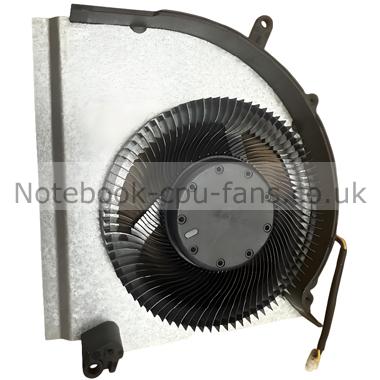
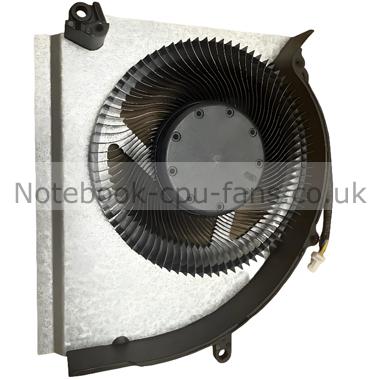
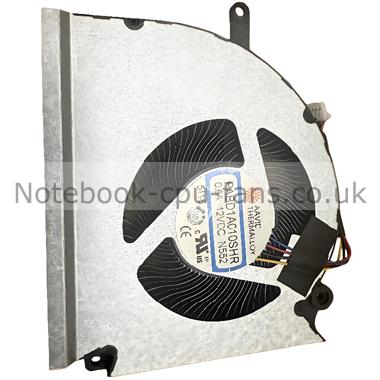
Replacement for Msi Vector 17 Hx A13vhg Laptop CPU Cooling Fan
- Price:
- £31.54
- Availability:
- In Stock
- Condition:
- New
- Warranty:
- 6 months from the receipt date
- Payment:
- Accept payment via PayPal
- Shipping:
- Worldwide free shipping
- Qty:
Related Products
| Specifications: | |
|---|---|
| Power: | 0.6A, 12VDC |
| Connector: | 4 wires 4 pins |
| Warranty: | 6 months from the receipt date |
Please compare our Msi Vector 17 Hx A13vhg CPU fan's images with your old part before purchasing this fan from us.
How to clean Msi Vector 17 Hx A13vhg laptop CPU fan?
The laptops can suck up lots of dust. And because laptop is packed together so tightly, the dust is even more dangerous. When the cooling fans have to run constantly, it's just a matter of time before the machine start to overheat. When that happens, it may lock up. It may damage system components. So you need clean the laptop cpu fan regularly. If your laptop continues to overheat after cleaning the fan, consider replace a new cooling fan.
- Shut down the laptop, unplug the power source and remove the battery.
- Remove the screws and place them in a plastic bag. Unscrew that panel and remove it. You should see the fan right underneath.
- Remove the screws to the Msi Vector 17 Hx A13vhg fan. Use the cotton balls and cotton swabs to very carefully wipe any dirt, dust or debris from the fan blades. A clean, soft paintbrush also works well to wipe away dust and dirt build-up.
- Turn the laptop over to allow any loose debris to fall out.
- After you've blown out all the dust, replace the access panel and battery, then power up the system.
- PABD1A010SHR N552
- Vector 17 Hx A14v
- Vector 17 Hx
- Vector 17 Hx A13vhg
- Vector 17 Hx A14vgg
- Vector 17 Hx A14vhg